Anyone who has had an ID photograph rejected during a consular visa appointment, passport renewal, or civil service application understands the frustrating delays caused by non-compliant biometric imagery. Consulates, immigration border agencies, and automated e-Passport gates employ strict facial recognition standards, enforcing millimeter-accurate rules regarding face coverage ratios, uniform diffuse lighting, backdrop neutrality, and strict file size ceilings in kilobytes.
While traditional photo studios often charge exorbitant fees for a small sheet of printed portraits, today it is entirely feasible to capture a crisp, high-resolution portrait using your own smartphone and prepare it with mathematical precision in your browser. In this detailed guide, we break down international ICAO Doc 9303 specifications, US visa 2×2-inch standards, European Schengen 35×45 mm guidelines, and show you how to crop, balance, and compress your image in PhotoEditor.sbs's Crop Photo and Compress Photo tools — running 100% locally and privately on your device.
1. International ICAO Doc 9303 Standards and Biometric Scanning
The International Civil Aviation Organization (ICAO), a specialized agency of the United Nations, established Doc 9303 — the global technical benchmark governing Machine Readable Travel Documents (MRTD). The standard ensures that automated border control e-Gates can accurately measure biometric landmark vectors between a traveler's eyes, nose bridge, and chin contour without optical distortion or chromatic interference.
When an online government intake portal rejects an uploaded digital portrait, the rejection is rarely about aesthetic lighting: in almost every instance, it stems from structural non-compliance, such as head tilt, harsh background drop shadows, improper vertical face proportions, or incorrect file compression.
2. The Three Most Widely Used ID Photo Formats Globally
Different jurisdictions mandate specific aspect ratios and physical millimeter dimensions:
US Visa & Passport (2x2")
Mandated by the US Department of State (DS-160 forms and Green Card Lottery). Physically measures 2 × 2 inches (51 × 51 mm). Digital upload requirement is a square measuring between 600 × 600 and 1200 × 1200 pixels (1:1 aspect ratio).
European Schengen (35x45mm)
Standard across the European Union, UK, and Schengen member states. Physically measures 35 × 45 mm. At standard 300 DPI print resolution, this corresponds to exactly 413 × 531 pixels (approximate 7:9 ratio).
Standard Brazilian / LATAM 3x4
Commonly used across Latin America for national IDs and driver's licenses. Physically measures 30 × 40 mm, which translates to exactly 354 × 472 pixels at 300 DPI (3:4 ratio).
3. Golden Rules of Facial Framing (70% to 80% Coverage)
The single most crucial biometric criterion is facial vertical coverage: the distance from the bottom of the chin to the top of the head (including hair) must occupy between 70% and 80% of the total cropped frame height.
- Eye Line Positioning: The subject's horizontal eye line must sit within the upper-third guideline of the frame (between 56% and 69% of image height measured from the bottom edge).
- Head Alignment and Gaze: The head must remain perfectly centered and upright, without tilting left, right, up, or down. The subject must look directly into the camera lens with both ears and facial borders symmetrically visible.
- Facial Expression: Maintain a strictly neutral expression. Do not smile showing teeth, do not squint, and keep lips closed naturally without tension.
4. Diffuse Lighting, Plain Neutral Backgrounds, and Posture
To produce a home capture that breezes through consular biometric validation without complex manual retouching, follow these practical rules when shooting:
- Plain Neutral Backdrop: Stand roughly 3 to 4 feet (1 meter) in front of an untextured, matte white or off-white wall. Stepping forward from the wall prevents your head and shoulders from casting harsh dark drop shadows onto the background.
- Soft Diffuse Front Lighting: Face an open, brightly lit window during daytime (avoiding harsh direct sunlight hitting your face). Diffuse daylight naturally eliminates dark eye circles and nose shadows without the harshness of a direct smartphone flash.
- Accessories and Attire: Never wear sunglasses or eyeglasses with thick dark frames that obstruct the eyes, or lenses with anti-reflective coatings that generate green or purple glares. Hats and headbands are prohibited (except for certified religious headwear that leaves the full facial oval uncovered). Wear dark, solid-colored clothing to create clean contrast against the white wall.
5. Managing Pixel Dimensions and KB Size Limits for Online Uploads
Government web portals — such as the US Department of State CEAC system — impose strict file constraints: images must be in JPEG format, feature square dimensions between 600×600 and 1200×1200 pixels, and must not exceed 240 KB while remaining above roughly 100 KB to avoid digital compression degradation.
Inside PhotoEditor.sbs, you fulfill these constraints in two simple steps: crop your portrait to a 1:1 aspect ratio in Crop Photo, configure target dimensions to 600×600 or 1200×1200 pixels, and export with JPEG quality dialed between 85% and 90% for a crisp image well within official file size limits.
6. Comparative Reference Table: International ID Specifications
The table below summarizes official dimensions, recommended resolutions, and requirements across major global documents:
| Document / Jurisdiction | Physical Dimensions | Recommended Pixels (300 DPI) | Backdrop Requirement | Strict KB File Size Ceiling |
|---|---|---|---|---|
| US Visa / US Passport | 51 × 51 mm (2x2") | 600 × 600 to 1200 × 1200 px | Pure plain white | 240 KB strict maximum |
| Schengen / EU Passport | 35 × 45 mm | 413 × 531 px | Light gray or light blue | Typically < 300 KB |
| Canadian Visa / Passport | 50 × 70 mm | 590 × 826 px | Plain pure white | Up to 4 MB on online portal |
| UK Passport Online | 35 × 45 mm | Min. 600 × 750 px | Light gray or cream | Between 50 KB and 10 MB |
| Standard Brazilian 3x4 | 30 × 40 mm | 354 × 472 px | Plain white or off-white | Typically < 500 KB |
7. Step-by-Step: Preparing Your Document Photo in PhotoEditor.sbs
Follow these four simple steps to prepare your biometric document photograph with accuracy:
Step 1: Open Your Original Portrait
Launch Crop Photo and upload your high-resolution original image taken with your phone or camera.
Step 2: Select the Exact Aspect Ratio
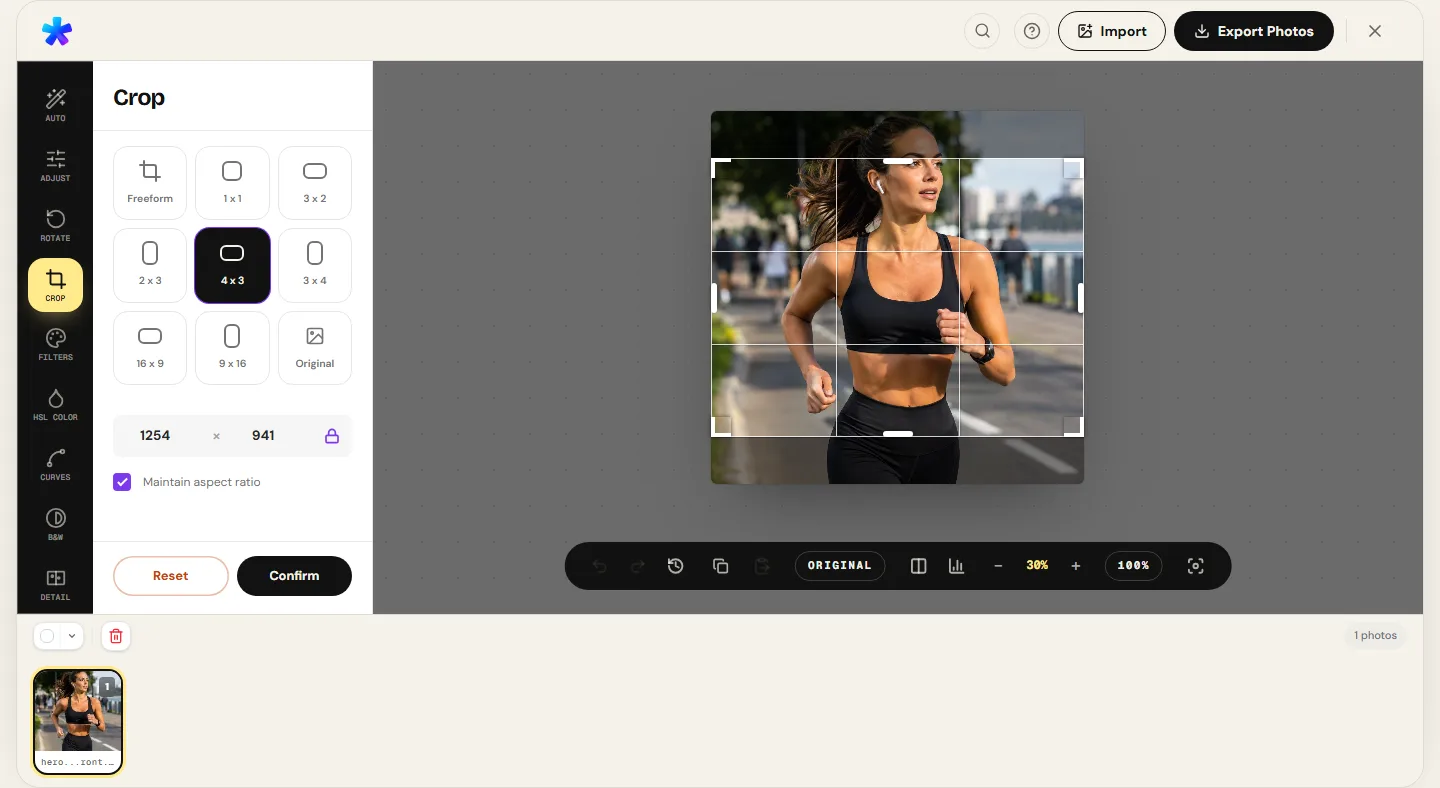
Select 1:1 for US visas, 3:4 for national IDs, or custom dimensions for European Schengen specifications. Adjust the bounding box so that the face from chin to hair top fills 70% to 80% of vertical height.
Step 3: Fine-Tune Exposure and White Balance
If the background wall appears dingy gray or overly yellow, navigate to Adjust Photo to adjust exposure and temperature, rendering the wall clean and natural skin tones accurate.
Step 4: Export within Required File Size Limits
Select JPEG format on the export screen and set quality to 85%–90% to produce a sharp file that complies with official upload weight limitations.
Honest Technical Boundary Note
PhotoEditor.sbs provides high-precision aspect ratio cropping, pixel resizing, and JPEG compression running 100% locally in your browser. The editor does not guarantee legal acceptance or official authorization by consular or government agencies, nor does it perform automated AI background replacement — a clean, plain wall must be captured when snapping the photo.
Crop and Prepare Document Photo Now
Crop and Prepare Document Photo Now8. Frequently Asked Questions
Frequently asked questions
Can I use an arm-extended smartphone selfie for an official passport photo?
It is strongly discouraged. Wide-angle smartphone front cameras held at arm's length introduce noticeable barrel distortion, exaggerating nose width. Ask a family member or friend to photograph you from 5 to 6 feet away at eye level.
Are you allowed to smile in a passport or visa photo?
No. International ICAO biometric regulations require a neutral facial expression with mouth closed and eyes fully open to prevent facial recognition software measurement errors.
Can I wear prescription eyeglasses in my passport photo?
Most government agencies — including the US Department of State — strictly prohibit eyeglasses in document photos, even with clear prescription lenses, to prevent glare.
Does PhotoEditor.sbs charge any fees for cropping 3x4 or passport photos?
No. PhotoEditor.sbs is completely free. There are no subscriptions, no paywalls, and no watermarks placed on exported photographs.
Are my personal photos transmitted over the internet during editing?
No. All cropping, resizing, and file compression take place strictly within your local browser memory on your device, ensuring privacy for personal identity photos.
What is the exact pixel dimension of a 300 DPI 2x2-inch US visa photo?
At standard 300 DPI print resolution, a 2x2-inch square photo corresponds to exactly 600 × 600 pixels.
How can I ensure my photo remains below the strict 240 KB US visa portal limit?
In the export dialog of PhotoEditor.sbs, select JPEG and set the quality slider between 80% and 90% to maintain sharpness while staying within the file size limit.
What file formats are supported when downloading my finished ID photo?
You can export your completed photo in high-quality JPEG and sharp PNG, as well as in WebP format when the browser supports Canvas WebP encoding.