( Free · in the browser · no sign-up )
Convert image formats in your browser.
JPEG. PNG. AVIF and others. Keep alpha transparency. Custom quality. Batch with ZIP.
Transform photos and graphics between JPEG, PNG, AVIF, and WEBP with precision compression controls, alpha transparency handling, and in-browser processing.
You can also drag and drop one or multiple images in this area.•Accepted inputs: JPEG, PNG, WEBP, AVIF, HEIC, TIFF, GIF and BMP (HEIC and TIFF are converted on import). Export as JPEG, PNG and AVIF, and as WEBP when the browser supports that encoding.
Image editing runs in the browser. The site can still make technical requests and, subject to your consent, load measurement or advertising. Read the Privacy Policy.


- 01No installation
- 02In-browser editing
- 03Preview before export
- 04No sign-up
( How it works )
How to convert image formats in 3 steps
- ( 01 / 03 )
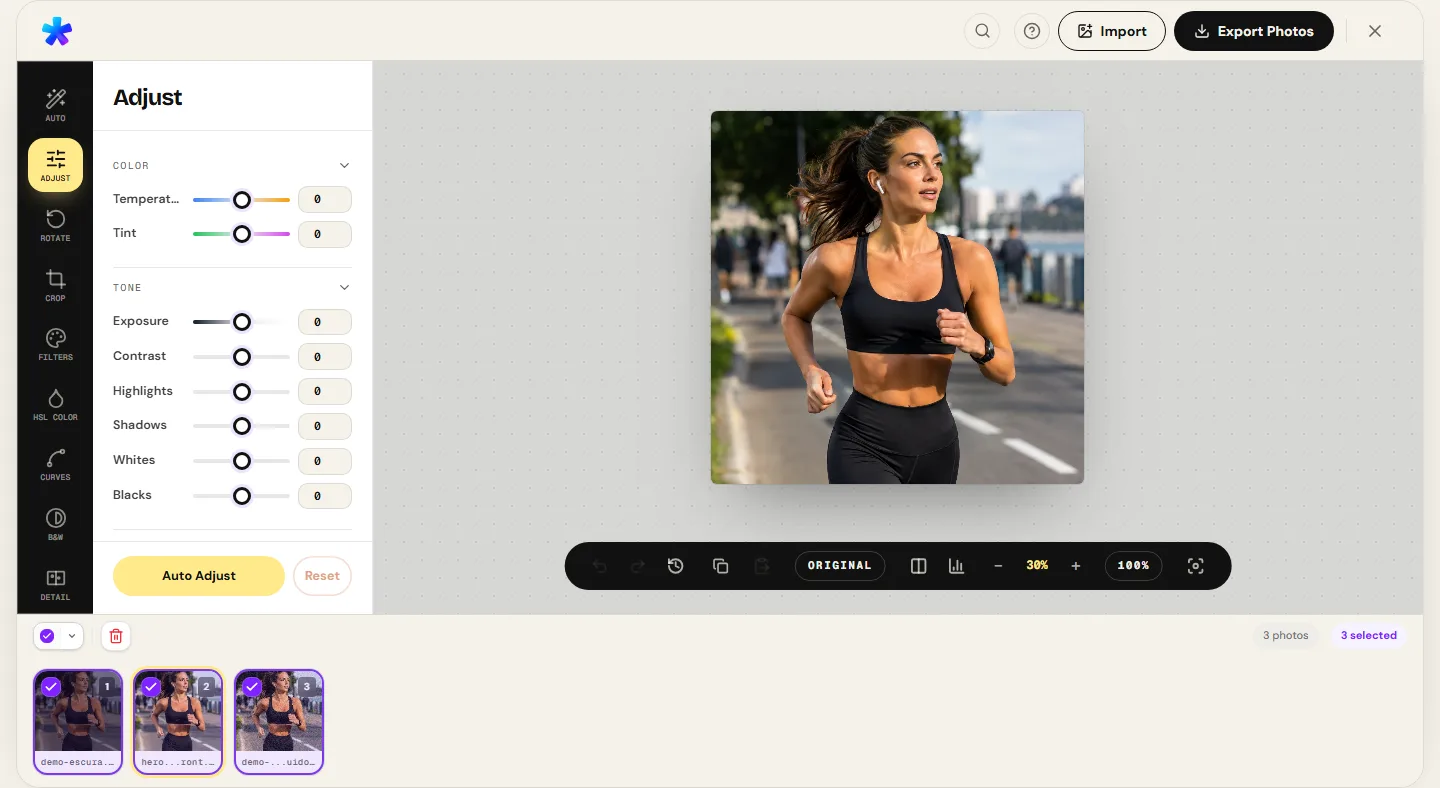
1. 1. Open your images
Drag and drop one or several files in JPEG, PNG, WEBP, AVIF, HEIC, TIFF, GIF, or BMP format. Everything decodes locally in browser memory.
- ( 02 / 03 )
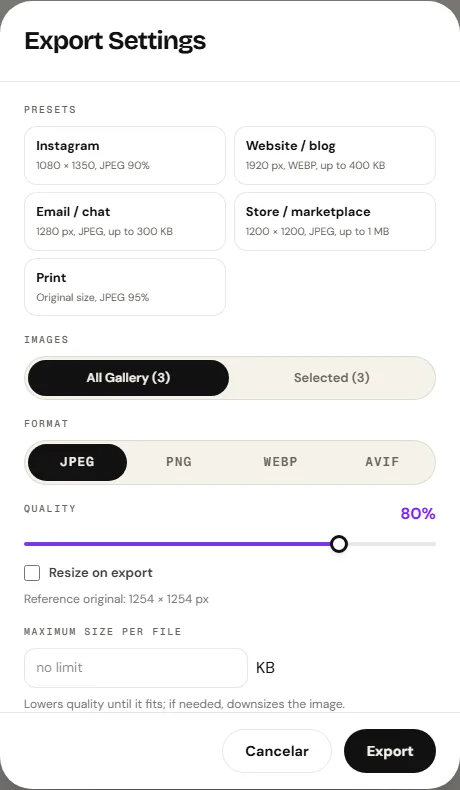
2. 2. Choose target format
In the export dialog, select your destination container: JPEG for photographs, PNG for crisp graphics and alpha transparency, AVIF for high compression, or WEBP when the browser supports it.
- ( 03 / 03 )
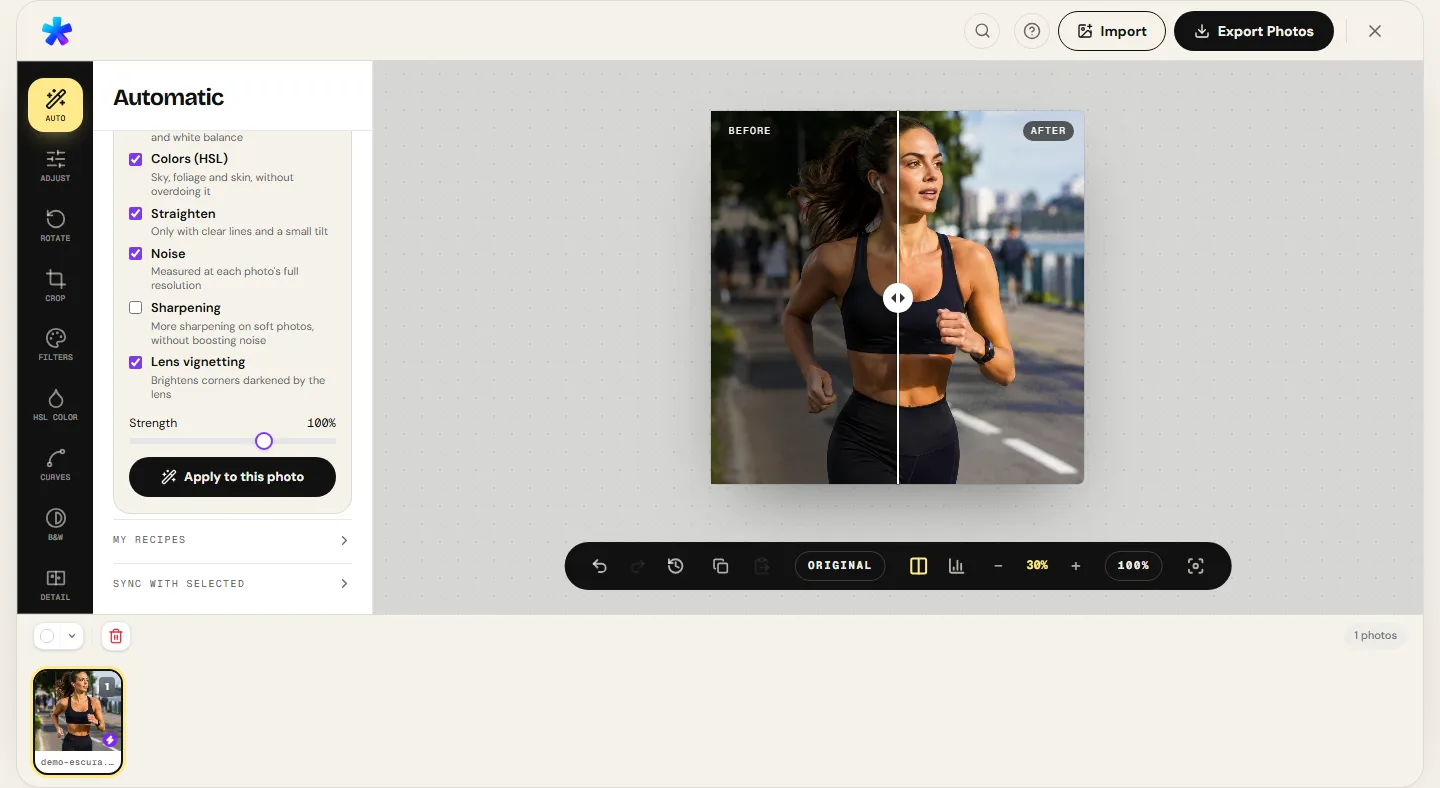
3. 3. Download converted copy
Save your converted file immediately, or download all converted images bundled together in a clean ZIP archive for batch jobs.
( The interface )
Current tool interface
( What it does )
Conversion and encoding features
- 01
Broad input format compatibility
Opens JPEG, PNG, WEBP, AVIF, GIF, and BMP natively, and decodes Apple HEIC and TIFF files directly upon import.
- 02
Alpha transparency management
When converting transparent PNG or WEBP assets to JPEG, alpha channels composite cleanly onto a solid white background.
- 03
Compression tuning and batch ZIP
Adjust quality from 1% to 100% or configure a maximum KB file size ceiling. Batches are bundled into an organized ZIP archive.
( What people use it for )
Practical reasons to convert image formats
- ( 01 )
Replacing heavy PNG screenshots with compact JPEG
Convert multi-megabyte PNG desktop captures into lightweight JPEGs ideal for email attachments.
- ( 02 )
Modern web asset migration
Upgrade older image archives to AVIF or WEBP to significantly reduce web bandwidth and accelerate site loading.
- ( 03 )
Form and portal compliance
Convert modern mobile formats (like HEIC or AVIF) into universally supported JPEGs accepted by school, banking, and government portals.
- ( 04 )
Preserving transparent brand assets
Export illustrations and logomarks into PNG to preserve transparent background cutouts across digital mediums.
( Questions? Answered )
Frequently asked questions
Does format conversion reduce image sharpness?
Converting from one lossy format to another (such as JPEG to AVIF) applies a new quantization pass. To minimize generation loss, choose high quality settings such as 85% to 92%.
What happens to transparency when converting PNG to JPEG?
Because the JPEG specification has no alpha channel, transparent pixels are automatically composited over a solid white backdrop.
Can I convert multiple formats in a single batch?
Yes. You can import a mixed selection of JPEG photos, HEIC camera shots, and PNG graphics, choose one output format, and export all as a ZIP file.
Do I need to create an account or pay to convert images?
No. PhotoEditor.sbs is completely free to use without registration, subscriptions, or credit card requirements.
Which export formats are currently available?
The export dialog provides JPEG, PNG, and AVIF, and adds WEBP when the browser supports that encoding.
( In depth )
Raster Format Architecture: DCT, Deflate, VP8, and AV1
Every raster image format was engineered for distinct visual content and distribution channels. Analyzing differences between DCT, Deflate, and intra-frame prediction guides the optimal container choice for any project.
Discrete Cosine Transform (DCT) in JPEG compression
Formulated by the Joint Photographic Experts Group in the early 1990s, JPEG remains the universal standard for digital photography. Its lossy compression pipeline relies on the Discrete Cosine Transform (DCT) applied to 8×8 pixel matrices after converting the RGB color space into YCbCr (one luma channel and two chroma difference channels).
Because the human visual cortex possesses greater spatial acuity for brightness (luma Y) than for color shifts (chroma Cb/Cr), encoders can discard high-frequency color variations with minimal perceptual penalty. DCT coefficients are divided by a quantization matrix determined by the quality slider: high-frequency coefficients round to zero and compress efficiently via Huffman coding.
Repeatedly re-saving lossy JPEG files creates cumulative quantization error along 8×8 block boundaries, causing ringing and blocking artifacts. Edits should therefore always stem from the original uncompressed source in a single export pass.
Lossless compression and Deflate filtering in PNG
The Portable Network Graphics (PNG) standard was engineered to replace GIF with a patent-free, strictly lossless raster format. PNG operates natively in RGBA space with full 8-bit alpha transparency support (256 distinct opacity levels).
PNG compression operates in two sequential stages. First, scanline pre-filtering (None, Sub, Up, Average, or Paeth) replaces absolute pixel values with mathematical deltas relative to neighboring pixels. This dramatically reduces byte entropy, converting continuous gradients into repetitive runs of small values.
Second, the filtered stream is compressed using Deflate (a combination of LZ77 sliding-window dictionary matching and Huffman entropy coding). While PNG produces large files for textured natural photos, it delivers mathematically pristine edges and compact file sizes for screenshots, diagrams, and line art.
Intra-frame prediction in modern codecs: WEBP and AVIF
WEBP (derived from Google's VP8 video codec) and AVIF (derived from the open AV1 codec by AOMedia) represent the modern vanguard of raster image compression. Both rely on directional intra-frame prediction, where previously decoded neighboring blocks serve as spatial references to predict texture patterns in adjacent blocks, storing only the residual difference.
AVIF supports 10-bit and 12-bit color depths and advanced adaptive quantization, preserving subtle skin tones and gradients at bitrates where legacy JPEG collapses into severe block artifacts. However, running AV1 encoding in client WebAssembly demands noticeably higher CPU cycles than native browser JPEG encoding.
The WEBP format, available when the browser supports that encoding, provides an effective middle ground between compression efficiency and encoding speed.
( Keep going )
Continue with the right workflow
- ( 01 )Compare formatsMeasured byte weights and pixel difference scores across real export samples.Read
- ( 02 )Compress photoDial in compression quality to hit an exact kilobyte target size.Read
- ( 03 )Convert HEIC to JPGDedicated workflow for Apple iPhone photo conversions.Read
- ( 04 )Resize photoAdjust pixel dimensions and maintain proper aspect ratios.Read
( Ready when you are )
Ready to convert your images?
Open your files, select your desired export format, and download your images individually or as a batch ZIP.