( Free · in the browser · no sign-up )
Black and white photo converter online.
Monochrome mix. Dramatic skies. Flattering skin tones. Analog red filter. Before and after.
Transform color images into expressive monochrome by shaping individual color luminance: darken blue skies, brighten foliage, and soften skin tones.
You can also drag and drop one or multiple images in this area.•Accepted inputs: JPEG, PNG, WEBP, AVIF, HEIC, TIFF, GIF and BMP (HEIC and TIFF are converted on import). Export as JPEG, PNG and AVIF, and as WEBP when the browser supports that encoding.
Image editing runs in the browser. The site can still make technical requests and, subject to your consent, load measurement or advertising. Read the Privacy Policy.


- 01No installation
- 02In-browser editing
- 03Preview before export
- 04No sign-up
( How it works )
How to create black and white photos in 3 steps
- ( 01 / 03 )
1. 1. Open your photograph
Drop an image in JPEG, PNG, or any supported format into the workspace, or test the tool with the project-owned demo photo.

- ( 02 / 03 )
2. 2. Shape color channels or pick a preset
Select a recipe such as Dramatic Sky, Light Skin, or Red Filter, or fine-tune individual sliders for red, orange, yellow, green, aqua, and blue.

- ( 03 / 03 )
3. 3. Compare and export
Slide the interactive before/after divider to inspect shadow definition and highlight detail, then export as JPEG, PNG, or AVIF.
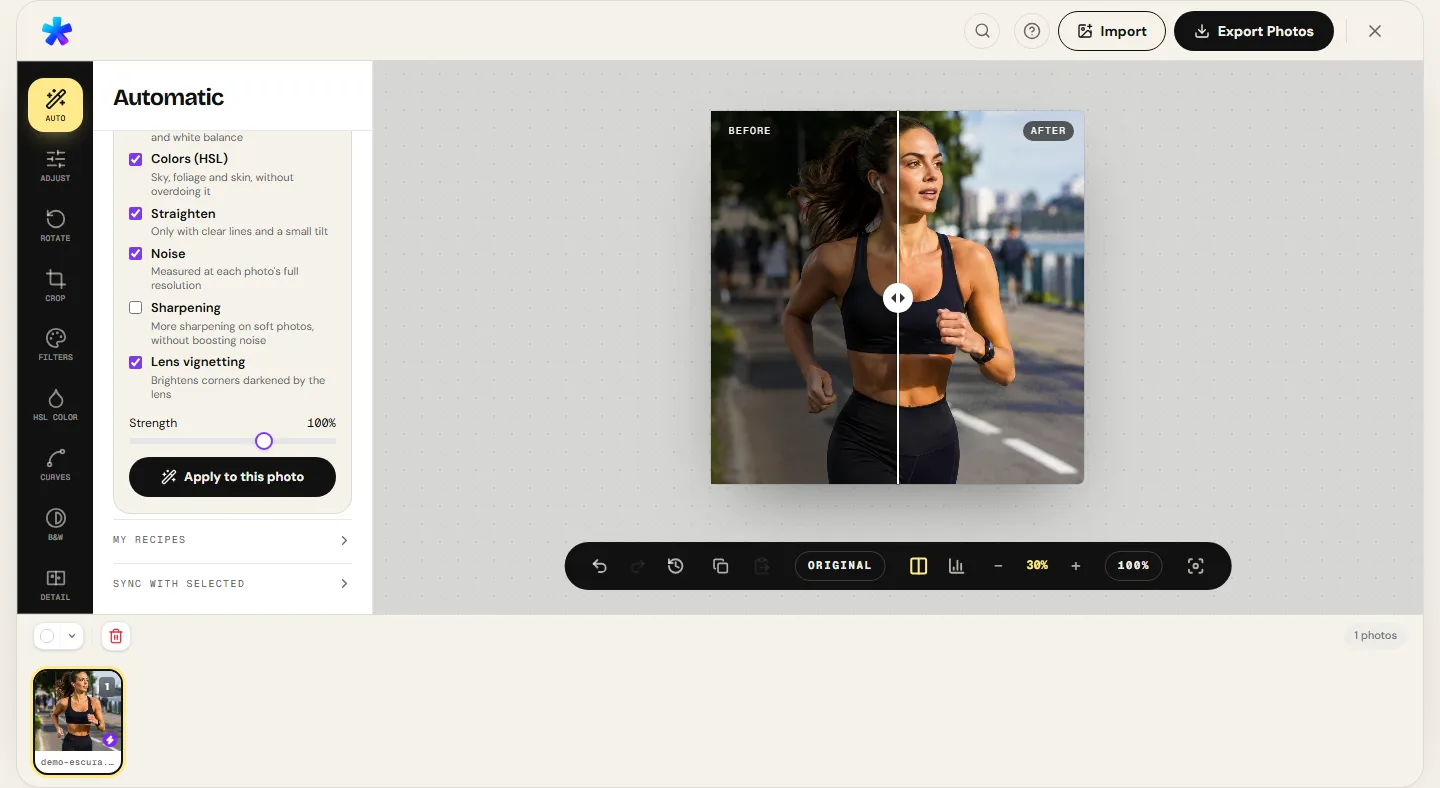
( The interface )
Current tool interface
( What it does )
Monochrome mixer capabilities
- 01
Selective eight-channel weighting
Independently adjust the relative grayscale brightness of red, orange, yellow, green, aqua, blue, purple, and magenta.
- 02
Presets inspired by analog glass filters
Apply proven formulas including Dramatic Sky (darkening blue skies for cloud separation) and Light Skin (flattering portrait tones).
- 03
Live histogram and comparison divider
Monitor tonal distribution in real time and evaluate local contrast with the non-destructive split-screen preview.
( What people use it for )
When monochrome elevates an image
- ( 01 )
Street and architectural photography
Strip away distracting advertisements and street signage to focus viewer attention on geometric lines, light, and shadow.
- ( 02 )
Fine art portraits
Boost orange and red luminance channels to flatter skin tones and focus emotional intensity on the eyes.
- ( 03 )
Dramatic landscapes
Darken cyan and blue channels to create intense contrast against white clouds, emulating classic analog red filters.
- ( 04 )
Documentary and event series
Unify a series of photographs captured under mixed tungsten, fluorescent, and daylight color temperatures.
( Questions? Answered )
Frequently asked questions
Why use a channel mixer instead of just lowering saturation to zero?
Desaturating simply averages colors into a single fixed gray, frequently resulting in flat, muddy tones. A channel mixer lets you independently darken skies and lift foliage, producing rich tonal separation.
How can I simulate vintage black-and-white film stock?
Pair the Red Filter or Dramatic Sky preset with subtle adjustments in the Film Grain panel to emulate analog silver-halide grain texture.
Is my original image modified or replaced?
No. The editor works entirely on an in-memory copy. When exporting, you download a newly generated file, leaving your source image unchanged.
Does the pixel conversion run on my device?
Pixel processing runs in the browser. Normal site requests and consented services are documented in the Privacy Policy.
Which formats can I select for the monochrome output?
You can export in JPEG, PNG, or AVIF, and WEBP when the browser supports that encoding.
( In depth )
Monochrome Physics: Optical Glass Filters and Spectral Luminance
Classic monochrome photography relies on translating spectral color frequencies into distinct grayscale brightness values. Exploring analog physical glass filters reveals how to sculpt dramatic contrast and tonal separation with a digital channel mixer.
Analog glass contrast filters and the physics of light
In traditional black-and-white film photography, panchromatic emulsions responded to the entire visible light spectrum. Master photographers like Ansel Adams threaded colored glass filters (yellow, orange, red, and green) onto their lenses to manipulate tonal values before photons struck the chemical emulsion.
The governing law of color filtration dictates that a filter lightens its own color in the final positive print and darkens its complementary color. A deep red filter blocks short-wavelength blue light (~400–480 nm), rendering clear blue skies dramatic and ink-dark, making billowy white clouds jump forward with three-dimensional pop.
In digital imaging, the channel mixer replicates these physical glass filters with the decisive advantage of complete reversibility: the camera sensor records the full RGB data, and algorithms mathematically weigh the contribution of each spectral band.
Luminance mathematics: why desaturation yields flat grays
The most common pitfall in digital monochrome conversion is simply setting global saturation to zero. In standard digital color encoding (ITU-R BT.709), relative luminance (Y) follows the equation Y = 0.2126 R + 0.7152 G + 0.0722 B. This weighting reflects the human eye's peak sensitivity to green wavelengths.
Under this rigid formula, two vibrant colors of opposite hues but similar luminance — such as a crimson red flower against dark green foliage — collapse into the exact same muddy middle gray. The composition loses depth, visual contrast, and subject separation.
The channel mixer overcomes this by giving photographers full control over individual multipliers. Increasing red luminance and pulling green back restores dramatic subject separation, allowing the flower to stand out sharply against its background.
Tonal balancing strategies for portraits and landscapes
In portraiture, human skin tones across all ethnicities display strong reflectance in the red and orange spectral bands. Gently elevating these channels smooths minor skin blemishes and lightens under-eye shadows, resulting in luminous, flattering skin tones.
In landscape photography, foliage and deciduous trees contain high concentrations of chlorophyll, reflecting green and yellow wavelengths. Boosting yellow and green multipliers reproduces the classic green filter effect, separating forest canopies from tree trunks and rocky ground.
Careful visual monitoring of the live histogram is essential: over-driving any color channel can clip highlights or crush shadows into pure black, conditions easily identified on the tonal graph before final export.
( Keep going )
Continue with the right workflow
- ( 01 )Tone curves and levelsFine-tune contrast, shadow cutoffs, and highlight transitions.Read
- ( 02 )Film grainAdd organic grain texture to complement your monochrome conversion.Read
- ( 03 )Adjust photoRefine exposure, highlights, and shadows prior to converting to black and white.Read
- ( 04 )HSL photo editorWork with selective hue and saturation before monochrome rendering.Read
( Ready when you are )
Ready to create expressive black and white images?
Open your photo, experiment with channel presets, and review the before/after preview before downloading.