( Free · in the browser · no sign-up )
Photo curves and levels in your browser.
Tone curves. Input black & white. Midtone gamma. Live histogram. 10 control points.
Sculpt image contrast and tonal distribution with up to 10 control points, input levels (black, gamma, white), and real-time histogram monitoring.
You can also drag and drop one or multiple images in this area.•Accepted inputs: JPEG, PNG, WEBP, AVIF, HEIC, TIFF, GIF and BMP (HEIC and TIFF are converted on import). Export as JPEG, PNG and AVIF, and as WEBP when the browser supports that encoding.
Image editing runs in the browser. The site can still make technical requests and, subject to your consent, load measurement or advertising. Read the Privacy Policy.


- 01No installation
- 02In-browser editing
- 03Preview before export
- 04No sign-up
( How it works )
How to adjust curves and levels in 3 steps
- ( 01 / 03 )
1. 1. Open your photograph
Drop an image into the workspace or load the project-owned demo photo. The interactive histogram updates immediately.

- ( 02 / 03 )
2. 2. Sculpt the curve or pick a preset
Add control points to lift shadows or deepen darks, adjust the midpoint gamma level, or choose a recipe like Gentle Contrast or Matte.

- ( 03 / 03 )
3. 3. Inspect histogram and export
Check the before/after split divider to ensure highlights and shadows remain unclipped, and download in JPEG, PNG, or AVIF.
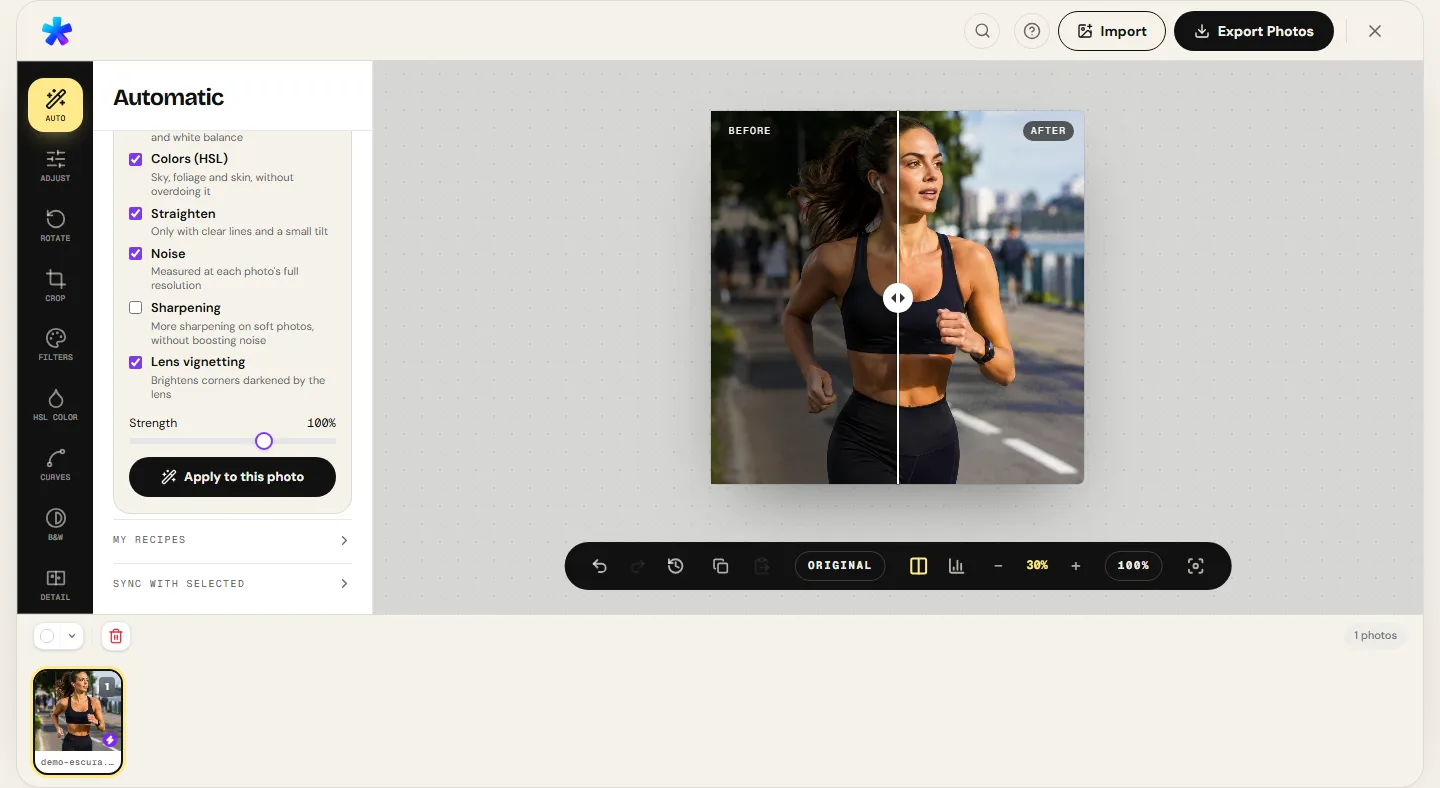
( The interface )
Current tool interface
( What it does )
Tonal curve and level controls
- 01
Parametric tone curves with up to 10 points
Place control points along input/output coordinates (0 to 255) to independently shape shadows, midtones, and highlights.
- 02
Input level controls (black, gamma, white)
Set shadow cutoffs (Black), midtone power curves (Gamma), and highlight clipping limits (White) with live histogram feedback.
- 03
Five instant tonal presets
Switch instantly between Neutral, Gentle Contrast, Strong Contrast, Matte (elevated black vintage look), and Lift Midtones.
( What people use it for )
When to deploy curves and levels
- ( 01 )
Dehazing flat, washed-out captures
Drag the black input level inward toward the start of the histogram data to banish milky atmospheric haze.
- ( 02 )
Vintage analog matte look
Elevate the bottom-left anchor point of the curve (raising black output to 20 or 30) to create milky, filmic shadows.
- ( 03 )
Classic S-curve contrast boost
Construct a subtle S-curve by gently depressing shadows and boosting highlights to create rich dimensional punch.
- ( 04 )
Targeted midtone recovery
Nudge the gamma slider to brighten deep shadow details without blowing out delicate sky highlights.
( Questions? Answered )
Frequently asked questions
How do tone curves differ from a standard contrast slider?
A simple contrast slider expands or contracts tones uniformly around a fixed center point. Tone curves let you selectively place contrast exactly where needed while protecting highlights and shadow extremes.
What does the Gamma slider do?
Gamma is a non-linear power exponent applied across midtones. Setting gamma above 1.0 brightens shadows and middle tones without shifting pure black (0) or pure white (255).
What causes histogram clipping?
When pixel data piles up vertically against the far-left (0) or far-right (255) walls, detail in shadows or highlights is completely clipped and lost.
Are my images sent to a server when adjusting curves?
Pixel processing runs in the browser. Normal site requests and consented services are documented in the Privacy Policy.
Which export formats are supported?
You can save your processed image in JPEG, PNG, and AVIF, and WEBP when the browser supports that encoding.
( In depth )
Tonal Mathematics: Cubic Splines, Gamma Correction, and Histograms
Tone curves and histogram levels provide the most precise post-production control over image density and contrast. Mastering cubic splines and power-law gamma correction unlocks shadow detail while preserving delicate specular highlights.
Cubic spline interpolation in tone curves
The tone curve is the definitive densitometric tool in photographic post-production. Mathematically, it represents a transfer function mapping each input pixel value (horizontal X axis, spanning 0 to 255 in standard 8-bit color depth) to a corresponding output value (vertical Y axis, from 0 to 255).
To generate a smooth continuous transfer curve through sparse user-defined control points, graphics engines employ monotonic cubic spline interpolation. This guarantees smooth transitions between anchor nodes without spurious oscillations (Runge's phenomenon) that would otherwise introduce bizarre tonal inversions or abrupt visual steps.
The classic S-curve depresses values in the lower shadow quadrant while elevating values in the upper highlight quadrant. The resulting steep slope across the midtone band expands local contrast, imparting immediate clarity, presence, and tactile dimension to the subject.
Power-law mathematics and gamma correction in levels
While curves provide organic, multi-point flexibility, levels adjustments operate via direct mathematical transformations across three key parameters: input black cutoff (Black), midtone gamma (Gamma), and input white cutoff (White).
The underlying algorithm first clamps and normalizes input values into the unit interval [0, 1] via V_norm = clamp((V_in - Black) / (White - Black), 0, 1). A non-linear power-law function is then applied: V_out = 255 × (V_norm ^ (1 / Gamma)).
This exponential relationship closely mirrors the non-linear luminance response of human vision (described by the Weber-Fechner law). Adjusting gamma unveils shadow information without blowing out specular highlights.
Histogram analysis and posterization prevention (comb effect)
The photographic histogram is a 256-bin discrete frequency distribution representing the population of pixels at each specific brightness level from 0 (pure black) to 255 (pure white).
Aggressive tonal stretching on 8-bit image data inevitably pulls adjacent discrete values apart. This produces visible gaps or 'comb teeth' in the histogram, visible as posterization or harsh stepped banding across smooth gradients such as clear skies and soft portrait shadows.
Photographers should balance curve slope against histogram continuity, utilizing split-screen comparison and 100% zoom inspection to ensure subtle gradients remain seamless, organic, and artifact-free.
( Keep going )
Continue with the right workflow
- ( 01 )Adjust photoCombine tonal curves with global exposure, white balance, and vibrance controls.Read
- ( 02 )Black and white photoShape monochrome contrast and tonal separation with the channel mixer.Read
- ( 03 )HSL photo editorWork with selective color hues and saturation alongside tonal shaping.Read
- ( 04 )Compare formatsReview measured byte weights and pixel difference scores across real export samples.Read
( Ready when you are )
Ready to sculpt your image tones?
Open your photo, refine curve points while watching the histogram, and inspect the preview before saving.