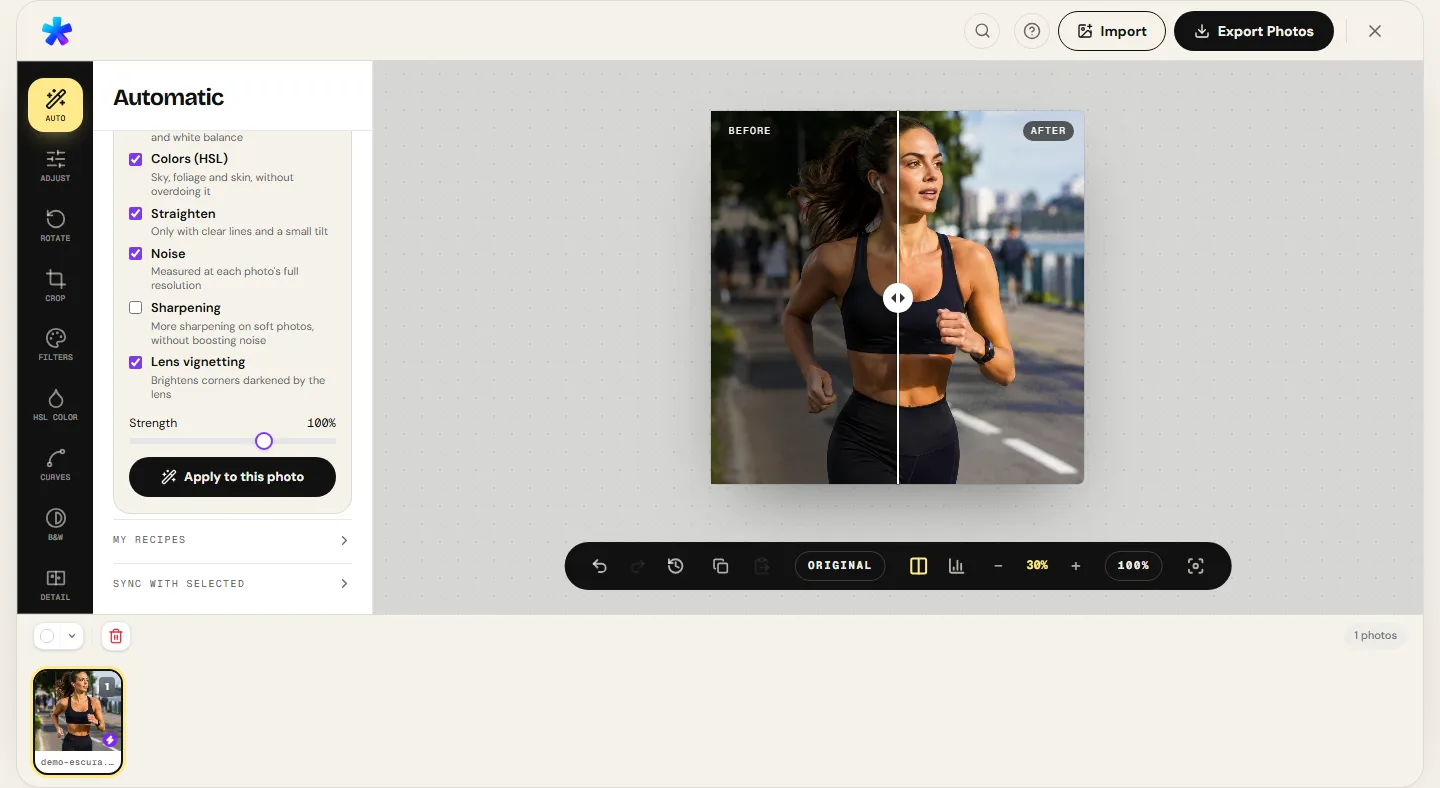
The promise of a "free online photo editor" has become one of the most frustrating experiences on the modern web. On most websites, the term conceals deceptive traps: users spend minutes fine-tuning composition or calibrating colors, only to discover — at the moment of download — that the export stamps an intrusive watermark across the center of the photo, downscales image resolution to a blurry fraction of the original megapixels, or demands mandatory credit card registration to unlock export privileges.
PhotoEditor.sbs was built upon an opposing technical and ethical foundation: a comprehensive photographic editor running 100% inside the user's browser via open HTML5 Canvas and TypedArray standards, with zero file uploads to remote servers, zero watermarks, and sustainably supported through non-intrusive contextual advertising. In this in-depth technical guide, we examine the computer graphics engineering enabling in-browser image manipulation, the architectural contrasts between client-side tools and cloud-upload servers, digital image container formats, and the practical capabilities and honest boundaries of the editor.
1. Client-Side Architecture: Ending Server File Uploads
Historically, web-based photo editors operated on a traditional client-server request-response paradigm: the user uploaded an image file via multipart HTTP forms to a remote server cluster; the backend unpacked the image using libraries like ImageMagick or OpenCV, computed requested filters on datacenter CPUs, and streamed back a re-rendered preview image. This legacy architecture created three severe structural problems:
- Latency and Bandwidth Exhaustion: Repeatedly uploading and downloading 15 to 30-megapixel camera captures for every slider adjustment introduced crippling latency and consumed massive mobile data allowances.
- Data Privacy and Security Exposure: Uploading private family moments, confidential client projects, or identity documentation to unknown third-party servers surrenders data custody, risking unauthorized storage or model training exploitation.
- Unsustainable Infrastructure Overheads: Operating large compute farms to calculate real-time image convolutions for millions of visitors generates immense cloud bills, forcing platforms to deploy aggressive paywalls, subscription models, or user data tracking.
Powered by modern JavaScript JIT engines (such as V8 and SpiderMonkey) alongside HTML5 Canvas and Web Worker specifications, PhotoEditor.sbs transfers all computational workloads directly to your device's local hardware (CPU and graphics processor). When you choose a photo, it is unpacked directly from local device memory into a contiguous byte array (Uint8ClampedArray). Tonal curves, sharpening convolutions, and color matrices calculate in fractions of a millisecond on your own processor. Zero image bytes are transmitted across the internet.
2. The Ethics of 'Free': Why There Are No Hidden Traps
A familiar internet maxim warns: "if you aren't paying for the product, you are the product." Many ostensibly free web tools deploy deceptive terms of service granting themselves perpetual commercial rights to user uploads, feeding proprietary image datasets, or tracking cross-site browsing behaviors.
PhotoEditor.sbs operates under a transparent, traditional publishing model: contextual editorial advertising (Google AdSense). Non-intrusive display banners alongside the interface cover static web hosting and continuous software maintenance. In exchange, users receive a full-featured, unrestricted photographic editor with uncompromising integrity:
- Zero Watermarks: Your finished photographs belong entirely to you. We never stamp logos, signatures, or branding into your exports.
- Full Resolution Preserved: A 24-megapixel file (6000 × 4000 px) loaded into the editor exports at the exact same 24 megapixels, unless you choose to crop or resize it intentionally.
- No Account Walls or Email Gates: We never demand registrations, logins, social authentication, or email submissions before releasing your finished files.
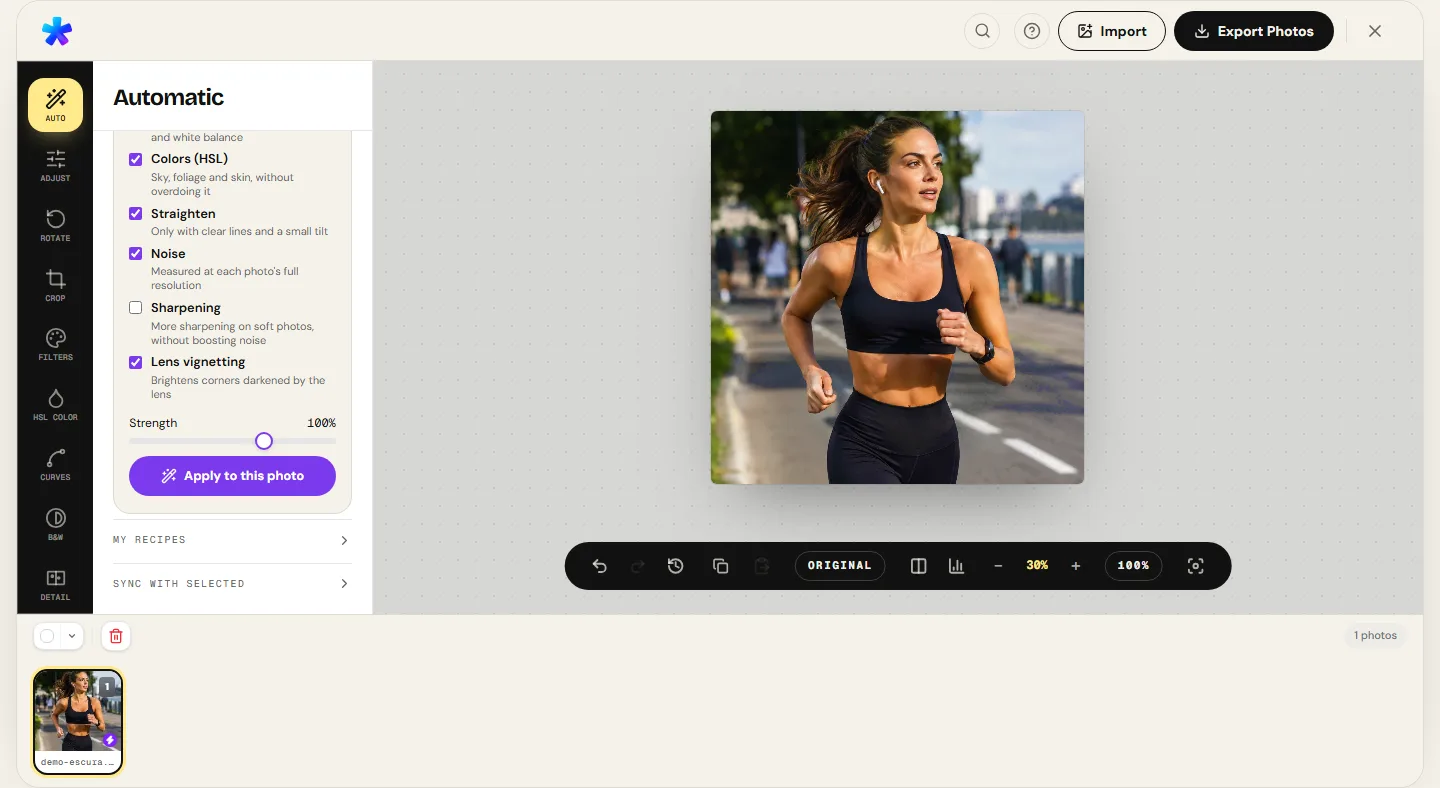
3. The 11 Photographic Editing Panels in the Browser
To address daily photographic finishing workflows, PhotoEditor.sbs organizes its toolset into eleven dedicated, cohesive modules:
1. Basic Adjustments & Exposure
True photographic exposure tuning in EV steps, linear brightness, contrast anchored at middle gray, highlight compression, and deep shadow recovery.
2. Tone Curves & Levels
Cubic spline tonal curves with real-time histogram feedback, enabling smooth sigmoidal S-curves and precise black, midtone, and white point clipping control.
3. HSL Color Panel (8 Bands)
Selective spectral isolation of Hue, Saturation, and Lightness across Reds, Oranges, Yellows, Greens, Cyans, Blues, Purples, and Magentas with Auto HSL analysis.
4. Saturation & Vibrance
Global color intensity tuning paired with smart vibrance algorithms that protect delicate human skin tones and prevent oversaturating already vivid channels.
5. White Balance & Temperature
Kelvin temperature balancing (cool blue vs. warm amber) combined with green-magenta tint calibration to neutralize artificial lighting casts.
6. Analog Black & White
Spectral channel mixer simulating classic physical contrast filters (Red, Yellow, Green, and Orange) for high-impact monochrome conversions.
7. Analog Film Emulation
Sensitometric emulation of classic film emulsions (Portra, Tri-X, Velvia) with lifted D-min black points and organic highlight roll-offs.
8. Sharpening & Noise Reduction
Unsharp masking with adaptive radius for crisp edge definition paired with an edge-preserving bilateral filter to suppress high-ISO sensor grain.
9. Optical Vignette & Film Grain
Configurable perimeter shading with adjustable radius and feathering, alongside a procedural Gaussian grain generator for authentic texture.
10. Geometric Crop & Rotation
Compositional framing with standard aspect ratios (1:1, 4:5, 16:9, 3:2, 9:16), Rule of Thirds guides, 90-degree rotations, and horizontal flips.
11. Batch Photo Processing
Queue manager supporting shared lead-frame recipes or independent per-image automatic balancing, packaged directly into a streaming ZIP archive.
4. Digital Image Formats: JPEG, PNG, WebP, and HEIC
Proper file format selection ensures an optimal balance between visual fidelity and storage efficiency. PhotoEditor.sbs supports the primary web and photographic container standards:
- JPEG / JPG: The universal photographic standard. Employs lossy Discrete Cosine Transform (DCT) compression. The export modal provides granular quality adjustments between 70% and 100%, ideal for high-resolution images destined for social media and physical prints.
- PNG: Lossless compression container using DEFLATE filtering. Retains full alpha-channel transparency and pristine sharpness across graphics, line art, and high-frequency textures.
- WebP: Modern web container developed for high compression efficiency using predictive intra-frame coding. WEBP export (when the browser supports it) delivers file sizes 30% to 35% smaller than comparable JPEGs at equivalent visual quality.
- HEIC (Apple iPhone Photos): Decodes high-efficiency container images captured on modern iOS devices directly in the browser, allowing you to export universally compatible JPEG files or WEBP when the browser supports it.
5. What the Editor Does and Where Its Real Boundaries Lie
Technical transparency is a foundational rule at PhotoEditor.sbs. To help users select the right tool for every task, we maintain clearly defined operational boundaries:
What PhotoEditor.sbs excels at: Complete tonal adjustments, surgical HSL color grading, precise geometric crops, horizon leveling, film color emulations, black-and-white spectral mixing, unsharp masking, and batch processing for web publishers, creators, and photographers.
What PhotoEditor.sbs does NOT do (and does not claim to do):
- Does not support multi-layered graphic compositions with complex layer stacks and vector masks.
- Does not perform raw camera sensor demosaicing or proprietary camera raw profile decoding.
- Does not generate synthetic generative artificial modifications to scene content.
- Does not claim to replace heavy desktop suites dedicated to deep digital painting or CGI compositing.
6. Comparative Table: Cloud Editor vs. PhotoEditor.sbs
The table below highlights the fundamental differences between legacy cloud-upload editors and PhotoEditor.sbs's browser-native architecture:
| Operational Aspect | Traditional Cloud Editors (Server-Side) | PhotoEditor.sbs (Browser-Native) |
|---|---|---|
| File Destination | Uploaded to third-party server clusters in external datacenters. | Processed 100% locally in your device's RAM and GPU. |
| Processing Speed | Bottlenecked by home network upload bandwidth and server queues. | Microsecond calculations via TypedArrays and accelerated Canvas 2D. |
| Privacy & Security | Risk of data retention, leaks, and potential NDA contract breaches. | Absolute privacy by design. Zero pixel data ever leaves your computer. |
| Export Resolution | Frequently capped at 1080p unless upgrading to a paid tier. | Preserves 100% of the original camera sensor's megapixel resolution. |
| Watermarks on Export | Mandatory branded watermarks inserted on unpaid exports. | Zero watermarks across all tools and export formats. |
| Account Requirement | Mandatory user registration, email verification, and logins. | Immediate access with no accounts, no logins, and zero barriers. |
7. Multi-Device Usability: From Smartphone to Desktop
Built upon responsive, standards-compliant web components, PhotoEditor.sbs adapts its workflow seamlessly to your hardware environment:
On a desktop computer or laptop, you have an expansive canvas viewport with precision sliders, full keyboard shortcut support (such as Ctrl+Z for undo and Space to pan around high-zoom details), and multi-file drag-and-drop loading.
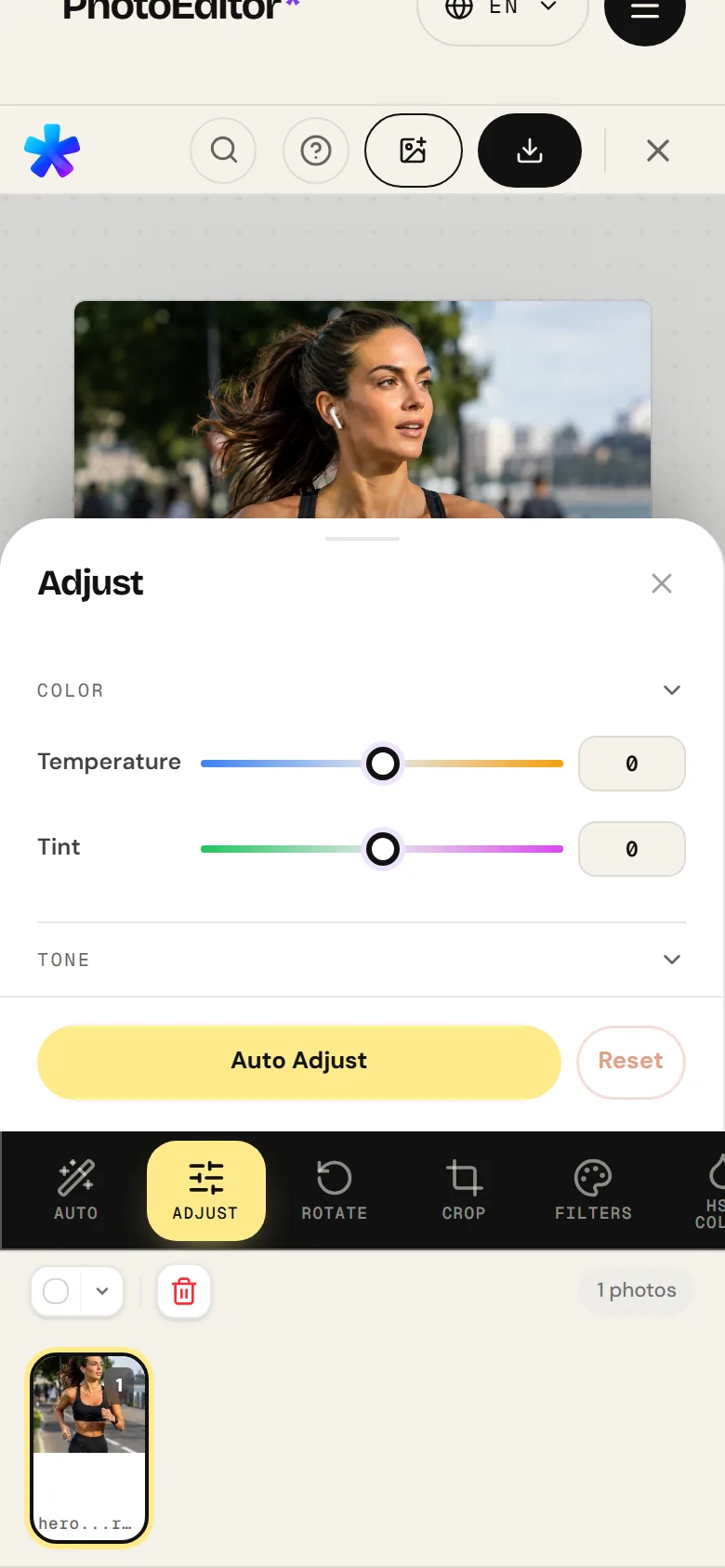
On a mobile smartphone (Android and iOS), the interface reorganizes ergonomically: the image occupies the top viewport with fluid pinch-to-zoom gestures, while adjustment tools dock into a swipeable bottom panel comfortably operated with one thumb, letting you refine mobile photos on the go before sharing.
Open Free Online Photo Editor
Open Free Online Photo Editor8. Frequently Asked Questions
Frequently asked questions
Is PhotoEditor.sbs genuinely 100% free, or are there hidden fees?
It is completely free. There are no premium subscriptions, hidden fees, paywalled high-resolution downloads, or watermark restrictions. The service is funded by contextual web advertising placed around the workspace.
Are my photos uploaded to any server during editing?
No. All image decoding, tonal adjustments, curve rendering, noise reduction, and file exporting happen strictly inside your browser's local memory on your device. Your photos are never uploaded across the network.
Do I need to install any software, app, or browser extension?
No installation is required. The editor runs instantly inside any modern web standards browser (Google Chrome, Mozilla Firefox, Safari, Microsoft Edge, Opera, Brave).
Is there a maximum file size or megapixel limit for loading photos?
The practical ceiling is determined solely by your device's available RAM. High-resolution captures from 24 to 48-megapixel DSLR/mirrorless cameras and modern smartphone sensors process easily on typical computers and phones.
Does the editor downscale image sharpness or resolution when saving?
No. The editor respects the full native dimensions of the original image. If you load a 6000 × 4000 pixel photograph, it will save as 6000 × 4000 pixels, unless you choose to crop it intentionally.
Can I edit multiple photos simultaneously in a single session?
Yes. Open the Batch Photo Editing tool to load multiple images into a queue, apply shared lead-frame recipes or independent automatic balancing, and download all finished assets packaged in a ZIP archive.
How are confidential EXIF tags and GPS coordinates handled?
For web safety and privacy, the browser Canvas rendering process naturally strips embedded GPS locations and camera serial numbers upon final export, protecting your privacy when publishing photos online.
What file formats can I select when exporting finished photos?
You can export your finished images in standard JPEG with customizable quality, crisp PNG without color compression, or WEBP export (when the browser supports it) to maximize web performance and reduce file sizes.